Choosing software
Construction software for small builders: what to look for and what it really costs
Most software lists for builders are written by a vendor that puts itself first. This one is too: Aaghaz360 publishes it. So instead of a ranking, here is a method you can apply to any tool, ours included, with list prices checked on each vendor's own page and the yearly cost worked out for a typical small builder.
Part of the guide to what is construction management software
On this page · 10 sections
- What small builders actually need from software
- The types of construction software, and what each is for
- Pricing models, at real list prices
- A worked example: what one small builder would pay
- Score your shortlist
- Free plan or free trial: how to test properly
- How to read 'best construction software' lists
- Where Aaghaz360 fits, and where it doesn't
- Questions people ask
- Sources
Key takeaways
- Choose construction software for small builders by the jobs it must do for you (money per job, buying, labour, the site's daily record), not by the length of the feature list.
- Work out the yearly cost at your size. Per-user pricing grows with every site engineer you add; flat pricing doesn't. The same team can cost from under $200 to over $6,000 a year.
- Separate a free plan from a free trial. A trial ends in days; a free plan with limits lets you run one real job before you pay.
- Score your shortlist with weights that add up to 100, and keep a spreadsheet on the shortlist. If it wins, keep it.
- Test with one live project for two weeks: an order, a delivery, a week of wages and a client invoice. Demos don't show you what your team will actually enter.
What small builders actually need from software
Construction software for small builders has to do a short list of jobs well, on a phone, for a team that is mostly on site. For a builder or contractor running one to fifteen jobs, those jobs are usually:
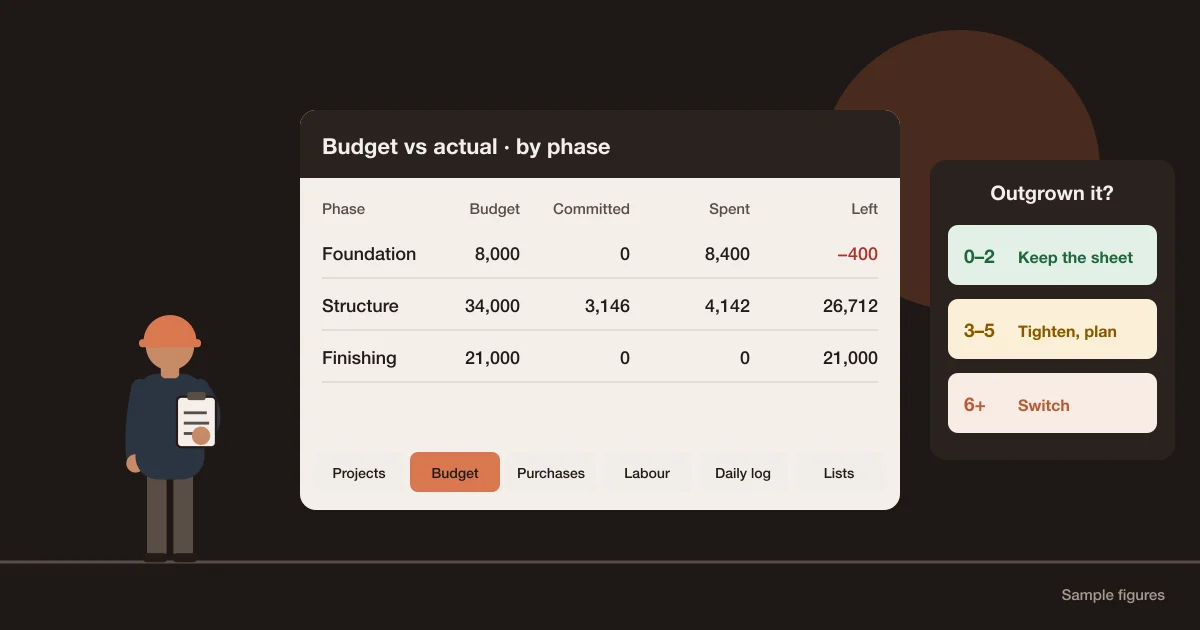
- Money per job and per phase: budget, what is spent, what is already committed in orders, and where the job will finish.
- Buying: requests from site, approvals, quotes, purchase orders, deliveries and matching the supplier's bill.
- Site stock: what material is on which site, and what was used on which work.
- Labour: who worked where, crews under a foreman, subcontractors, and what each is owed.
- The daily record: work done, photos, labour and material, filled in from site in minutes.
- Client money: stage invoices, what has been received and what is still owed.
Not every builder needs all six. A builder who subcontracts everything may care most about subcontract payments and client billing; one who employs daily-wage crews and buys material directly needs labour, buying and stock. Write your own list before you look at any product.
The types of construction software, and what each is for
| Type | Built around | Good fit when | Watch for |
|---|---|---|---|
| Field and drawing management | Drawings, tasks, punch lists, site forms | Your main problem is the site team working from the right drawings | Money, buying and labour may be thin or missing |
| Residential builder and remodeller platforms | Sales, client communication, selections, estimates | You sell custom homes or renovations to private clients | Check how they price, and that the workflow matches how you build |
| All-in-one construction management | Projects, purchasing, stock, labour and money in one place | You buy material and run crews yourself across several sites | Setup effort; check each module, not just the list |
| Enterprise platforms | Large teams, many stakeholders, document control | Large contractors with dedicated staff for the system | Often priced by quote rather than a public list price |
| Accounting software with job costing | Ledgers, invoices, tax | Your accountant runs the numbers and the site sends paper | Nothing from the site gets in unless someone types it |
| A spreadsheet | Whatever you build | One or two jobs and one careful person | Breaks when several people edit from site |
If you are not sure whether you have outgrown the spreadsheet yet, the construction project management Excel template guide lists the signs. For what each module does and how this software differs from ERP and accounting tools, see what construction management software is.
Pricing models, at real list prices
Construction software is priced in four ways: per user per month, a base fee for a number of seats plus extra users, a flat fee for a number of projects, or a quote based on your construction volume. The table quotes each vendor's own pricing page as it read on 26 October 2026. Prices change; check them again before you decide.
| Tool | Pricing model | Listed price | Free plan or trial (as stated) |
|---|---|---|---|
| Fieldwire | Per user per month | Pro $39, Business $64, Business Plus $89 per user per month, billed annually | Basic plan $0: up to 5 users, 3 projects and 100 sheets |
| JobTread | Base fee plus internal users | $199 per month, plus $20 per month per internal user (one user included) | No free trial; 30-day money-back guarantee on the monthly plan |
| Buildern | Base fee for seats plus extra users, billed annually | Starter $225 per month for 2 seats (extra user $81); Professional $360 per month for 4 seats (extra user $90) | 7-day free trial |
| Procore | Annual fee by product and annual construction volume | No public price; custom quote. Users are not charged for | Not stated |
| Aaghaz360 (publisher of this guide) | Flat yearly fee by running projects, unlimited users | Starter $149, Business $249, Unlimited $499 per year | Free package: 1 running project, every module, no time limit |
Sources: Fieldwire pricing, JobTread pricing, Buildern pricing, Procore pricing and Aaghaz360 pricing. Pricing pages we couldn't open, and one that showed two conflicting price tables, are left out rather than guessed.
These tools don't all do the same jobs. Some are built around drawings and field tasks, others around sales, others around buying and money. The table compares price only. Whether a tool does the jobs on your list is what the scorecard below is for. If you are on Procore today, Procore alternatives for small and mid-size builders compares seven options and says who should stay.
A worked example: what one small builder would pay
A builder runs 3 houses at once. Six people need to sign in: the owner, a project manager, two site engineers, a storekeeper and an accountant. Here is the yearly list price for that team, from the prices above, before any tax or discount:
| Tool and plan | Arithmetic | Per year | With 10 users |
|---|---|---|---|
| Fieldwire Pro | 6 users × $39 × 12 | $2,808 | $4,680 |
| JobTread, monthly plan | ($199 + 5 extra users × $20) × 12 | $3,588 | $4,548 |
| Buildern Starter | ($225 + 4 extra users × $81) × 12 | $6,588 | $10,476 |
| Buildern Professional | ($360 + 2 extra users × $90) × 12 | $6,480 | $10,800 |
| Procore | Quote based on construction volume | Unknown | Unknown |
| Aaghaz360 Starter | Flat, up to 5 running projects, unlimited users | $149 | $149 |
| Spreadsheet | Licence you already have | $0 | $0 |
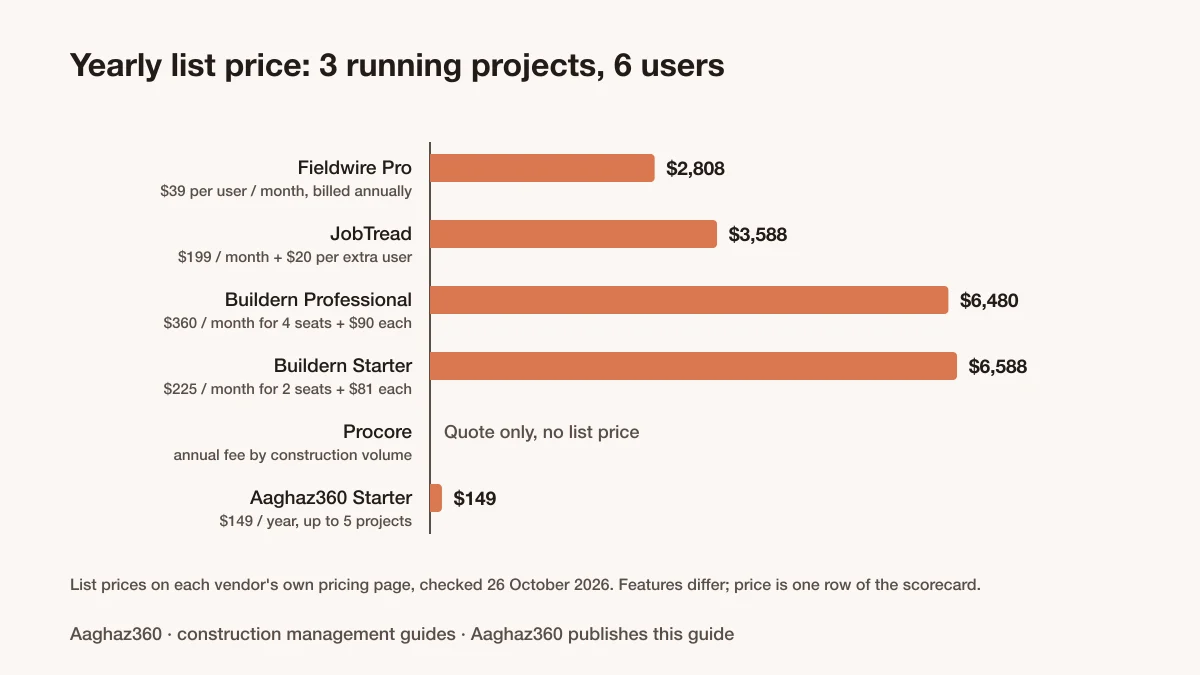
Two things stand out. First, per-user pricing grows with the team: going from 6 to 10 people adds $1,872 a year on Fieldwire Pro and $960 on JobTread's monthly plan, while flat pricing doesn't change. Second, the cheapest plan on paper isn't always the cheapest for you: with 6 users, Buildern's Professional plan works out $108 a year cheaper than Starter, because it includes more seats.
Price is not the deciding factor. A tool your site engineers won't use costs more in lost records than any licence. That's why price is one row in the scorecard, with a weight of 10 out of 100.
Score your shortlist
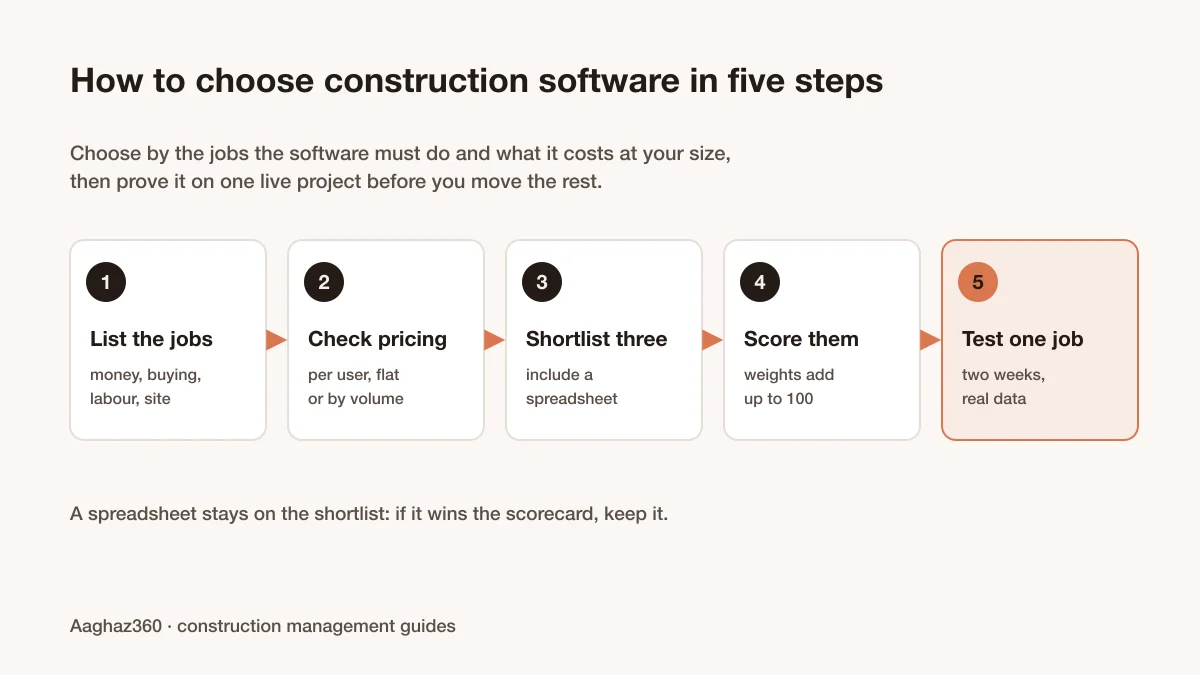
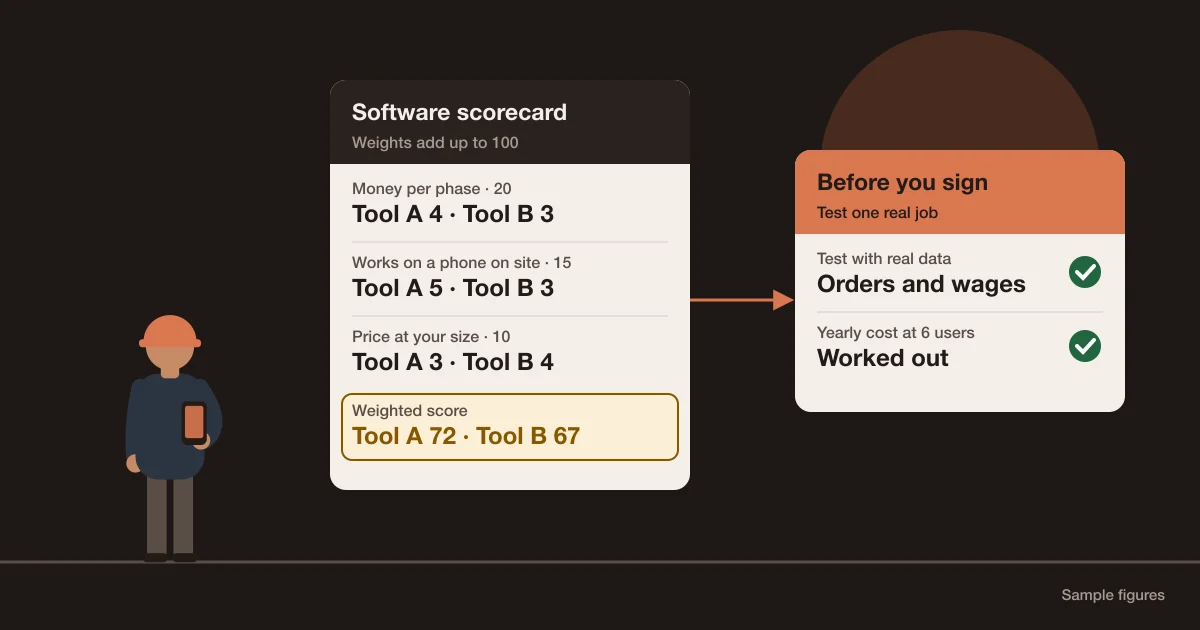
Pick three options, including your current spreadsheet. Give each criterion a weight so the weights add up to 100, score each option from 1 to 5, multiply and add. The weighted score out of 100 is the sum of weight × score, divided by 5. The scores below are samples for unnamed tools, to show the arithmetic.
| Criterion | Weight | Tool A | Tool B | Spreadsheet |
|---|---|---|---|---|
| Money per job and phase: budget, committed, forecast | 20 | 4 | 3 | 2 |
| Purchasing and site stock | 15 | 3 | 4 | 2 |
| Labour and pay: crews, daily wages, subcontractors | 15 | 2 | 4 | 2 |
| Works on a phone on site | 15 | 5 | 3 | 2 |
| Your data can be exported | 10 | 4 | 3 | 5 |
| Setup effort and support | 10 | 4 | 3 | 3 |
| Price at your size | 10 | 3 | 4 | 5 |
| Free plan, or a trial long enough to test | 5 | 4 | 2 | 5 |
| Weighted score out of 100 | 100 | 72 | 67 | 57 |
Check Tool A: 20×4 + 15×3 + 15×2 + 15×5 + 10×4 + 10×4 + 10×3 + 5×4 = 360, and 360 ÷ 5 = 72. Tool A wins here because it does well on the heaviest criteria, even though Tool B is better at labour and cheaper. Change the weights and the winner can change, which is the point: the weights are your priorities, written down before the demos.
Download the free construction software scorecard (Excel). One sheet scores up to four options and checks the weights add up to 100; the other works out the yearly cost of each pricing model for your number of users.
Free plan or free trial: how to test properly
A free trial gives you everything for a few days. A free plan gives you a limited version with no end date. For a builder, a trial of 7 to 14 days rarely covers a full cycle of ordering, delivering, paying wages and invoicing a client, so ask whether the trial can be extended, or use a free plan on one real job. Which tools have a free plan, and what each leaves out, is compared in free construction management software.
- 1Pick one live job, not a demo project, and enter its real budget by phase.
- 2Raise one real material request from site, get it approved, order it and receive it.
- 3Record one week of labour and work out what each person or crew is owed.
- 4Raise one client invoice and record the payment.
- 5Ask a site engineer to fill in the daily record from a phone for a week, without help. If the vendor offers a construction management app, install it on the engineer's own phone, not yours.
- 6Export your data and open it in a spreadsheet.
If you can't get your records out, think twice before putting them in.
How to read 'best construction software' lists
- Check who wrote it. Most lists are published by a vendor that ranks itself first. That doesn't make them wrong, but read them as marketing.
- Look for an affiliate disclosure. Some comparison sites are paid when you sign up through their links.
- Look for a date on the prices. A price without a date may be years old.
- Look for the yearly cost at your size, not the cheapest plan's monthly headline.
- Look for what each tool is built around. A good drawing tool and a good costing tool can both be 'the best' and still be wrong for you.
Where Aaghaz360 fits, and where it doesn't
Aaghaz360 is all-in-one construction management software for builders and contractors. It covers projects and phases, the daily site log, purchasing from site demand to supplier payment, site stores, labour and wages for daily-wage workers, crews and subcontractors, and project costing with committed cost and client billing. It installs on phones from the browser.
It is priced by running projects, not by users: the Free package runs one project with every module and no time limit, and paid packages are $149, $249 and $499 a year for up to 5, 15 and unlimited running projects. It isn't a drawing-management tool, and payroll for salaried staff (payslips, loans, tax withholding) is planned, not built.
If it scores well on your list, start on the Free package with one real job, or book a walkthrough built on one of your own projects.
Before you sign up for construction software
0 of 9 in placeTick what is already in place on your site.
Questions people ask
What is the best construction software for a small builder?
The one that does the jobs on your own list, works on a phone for your site team, and costs a sensible amount at your number of users and projects. Score your shortlist with weighted criteria and test the winner on one live job for two weeks before you move everything.
Is there free construction management software?
Yes, with limits. Some vendors offer a free plan, for example a limit on users or projects, and others offer a free trial that ends after a set number of days. Check which it is, and whether the free version includes the modules you need.
How much does construction software cost for a small builder?
It depends on the pricing model and your team size. At list prices checked in October 2026, a team of 6 users on 3 projects would pay from $149 a year on a flat-priced plan to over $6,000 a year on some seat-based plans, and some vendors quote by construction volume.
Should a small builder use Excel or construction software?
Excel is fine for one or two jobs run by one careful person. Software pays off when several people enter data from site, approvals need a record, and nobody is sure which file is current. Keep the spreadsheet on your shortlist and score it like any other option.
How long should I test construction software before buying?
Long enough to run one real job through a full cycle: an order and delivery, a week of wages, a client invoice and a week of daily records from site. Two weeks is usually the minimum.