Choosing software
What is construction management software? A plain guide
Construction management software is where a construction company keeps the record of its jobs: the plan, what happened on site each day, what was bought and delivered, who worked, and what it all cost. This guide explains each part in plain terms, follows one material order through the system, and shows where it ends and ERP, accounting and general project tools begin.
On this page · 12 sections
- What construction management software is
- What it does: the modules, and the record each one keeps
- How the modules connect: one cement order, followed end to end
- Who uses it, and what each person needs from it
- Construction management software vs ERP, accounting and project management tools
- What it changes on a real job
- What construction management software costs
- How to choose: five questions to answer before any demo
- Rolling it out without stopping the sites
- Where Aaghaz360 fits, and where it doesn't
- Questions people ask
- Sources
Key takeaways
- Construction management software is one shared record of a company's jobs that the office and the site both write to: plan, site log, buying, stock, labour, costs and billing.
- Its value comes from the connections. One delivery recorded on site should update stock, the supplier's balance and the job's cost without anyone typing it twice.
- It is not the same as an accounting ERP. Most construction management tools keep job money (budgets, commitments, bills, client billing) but leave the general ledger and tax to accounting software.
- Tools differ by what they are built around: drawings and field tasks, sales to homeowners, buying and money, or enterprise document control. Match the tool to the problem you actually have.
- Prices run from free plans to quotes based on your annual construction volume. Count running projects and users before comparing.
What construction management software is
What is construction management software? It is a system that holds a construction company's projects and the work around them in one shared record: the plan and its phases, the daily site log, material requests and purchase orders, deliveries and site stock, labour and subcontractors, budgets and costs, and what the client has been billed and has paid. The office and the site both write to that record, usually from a browser or a phone, so everyone works from the same numbers.
The software supports a discipline that existed long before it. The Construction Management Association of America describes construction management as a service that gives the project owner effective management of the project's "schedule, cost, quality, safety, scope, and function" (CMAA). The software is where the evidence for each of those is kept. A useful way to see what belongs in it is to start from the job itself.
| Construction manager's duty (US BLS) | What the software records |
|---|---|
| Prepare cost estimates, budgets and work timetables | Estimate or bill of quantities, a budget per phase, phases on a timeline |
| Select subcontractors and schedule their activities | Subcontract value, advances, retention and work done per subcontractor |
| Monitor projects and report progress and budget to the firm and clients | Daily site log, % built per phase, spend and commitments against budget |
| Respond to work delays, emergencies and other problems | Issues logged on the day with photos, and who was told |
| Interpret contracts and technical information | Contract value, change orders, drawings and documents with versions |
The duties in the left column are quoted from the US Bureau of Labor Statistics description of the job, which sums it up as planning, coordinating, budgeting and supervising construction projects "from start to finish" (BLS). A builder with two sites and a contractor with forty do the same things at different scales.
What it does: the modules, and the record each one keeps
Most construction management software is built from the same set of modules. Few tools are equally strong in all of them, so the useful question is which records a tool keeps well, and who is expected to enter them.
| Module | What it records | Entered by | Question it answers |
|---|---|---|---|
| Projects and schedule | Phases, tasks, milestones, timeline, documents | Project manager | What should be done by when? |
| Daily site log | Work done, who worked, material used, machines, issues, photos | Site engineer or supervisor | What actually happened today? |
| Procurement (purchasing) | Material requests, approvals, supplier quotations, purchase orders, deliveries, bills | Site, project manager, owner, accounts | What did we order, from whom, at what rate, and did it arrive? |
| Inventory (site stores) | Stock received, issued to the work, moved between sites, counted | Storekeeper | What is on site now, and where did the rest go? |
| Labour and subcontractors | Attendance, day rates, pay runs, advances, subcontract work and retention | Site, labour head, accounts | Who worked, what do we owe them, what have we paid? |
| Job costing and budgets | Budget per phase, committed orders, actual cost, forecast at finish | Built from the other modules | Is this job making money? |
| Client billing | Payment stages, invoices, receipts, advances, retention, statements | Accounts | What has the client been billed, and what do they still owe? |
| Estimates and quotes | Quantities, rates, margin, the quote sent to the client | Estimator or owner | What should we charge, and did we win it? |
| Field and document control | Drawings, RFIs, submittals, inspections, punch lists | Project team, consultants | Is everyone building from the right drawing? |
The first eight modules are about running the work and the money. The last row, document control, matters most on large projects with designers and consultants exchanging drawings and formal questions. Some products are built almost entirely around it; others, Aaghaz360 included, don't offer RFIs, submittals or drawing markup at all. Neither is wrong. They solve different problems.
Each module has its own guide here: construction material tracking for the purchasing trail, construction site inventory for stores, the daily site report format for the site log, construction progress tracking for the schedule, and construction budget vs actual for job costs.
How the modules connect: one cement order, followed end to end
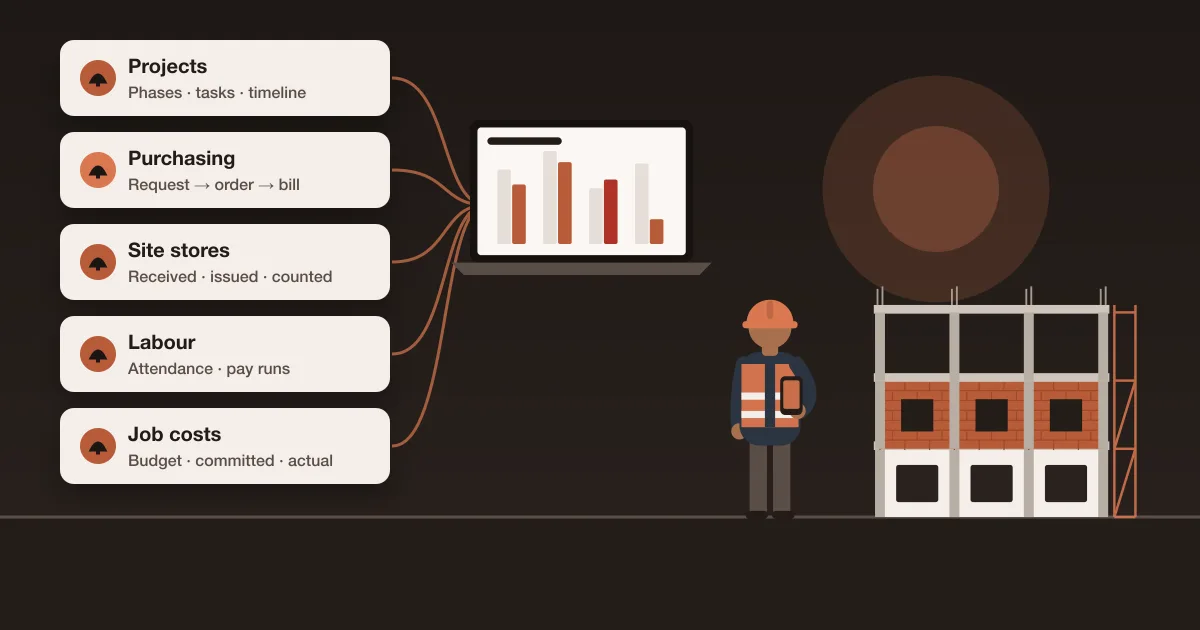
A spreadsheet can hold each of these records. What it can't do is make one entry update the others. Following a single order shows why that matters. The figures below are sample numbers, the same order used on the Aaghaz360 home page.
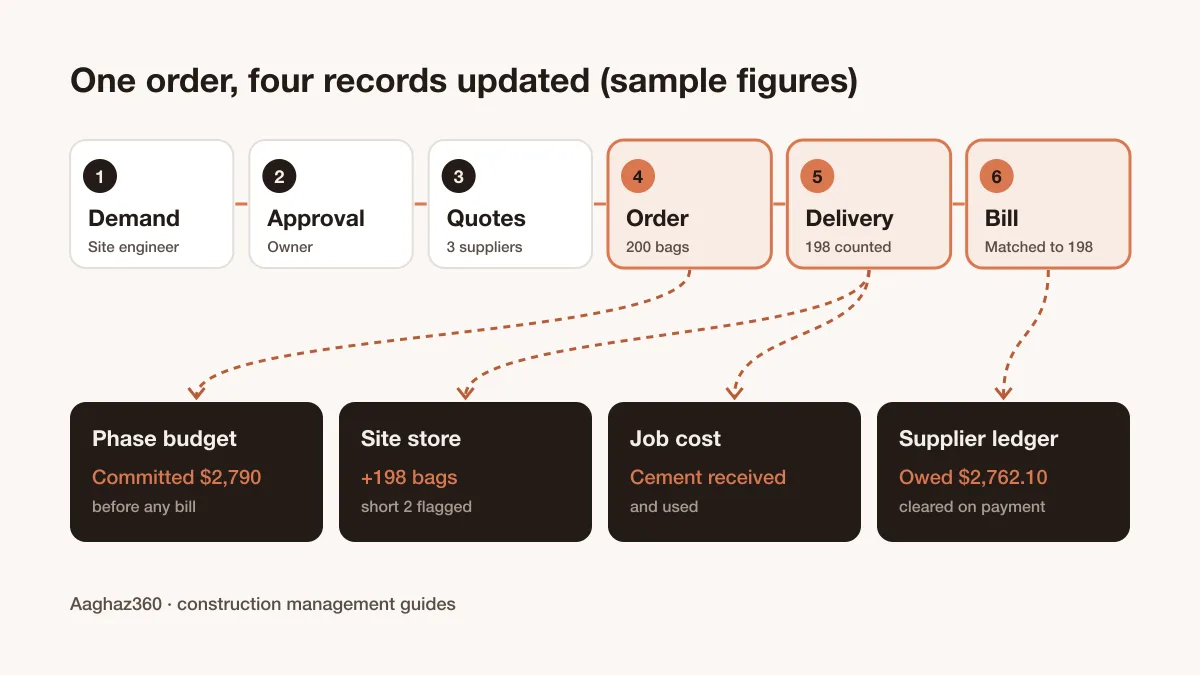
- 1Demand.
The site engineer asks for 200 bags of cement for the grey structure phase, from a phone, with the date it is needed. - 2Approval.
The owner approves it in one tap. The request, the approver and the time are recorded. - 3Quotes.
Three suppliers enter their rates through a private link. The best rate is $13.95 a bag. - 4Purchase order.
The order goes out for 200 bags at $13.95, or $2,790. That amount now shows as committed against the phase budget, before any bill exists. - 5Delivery.
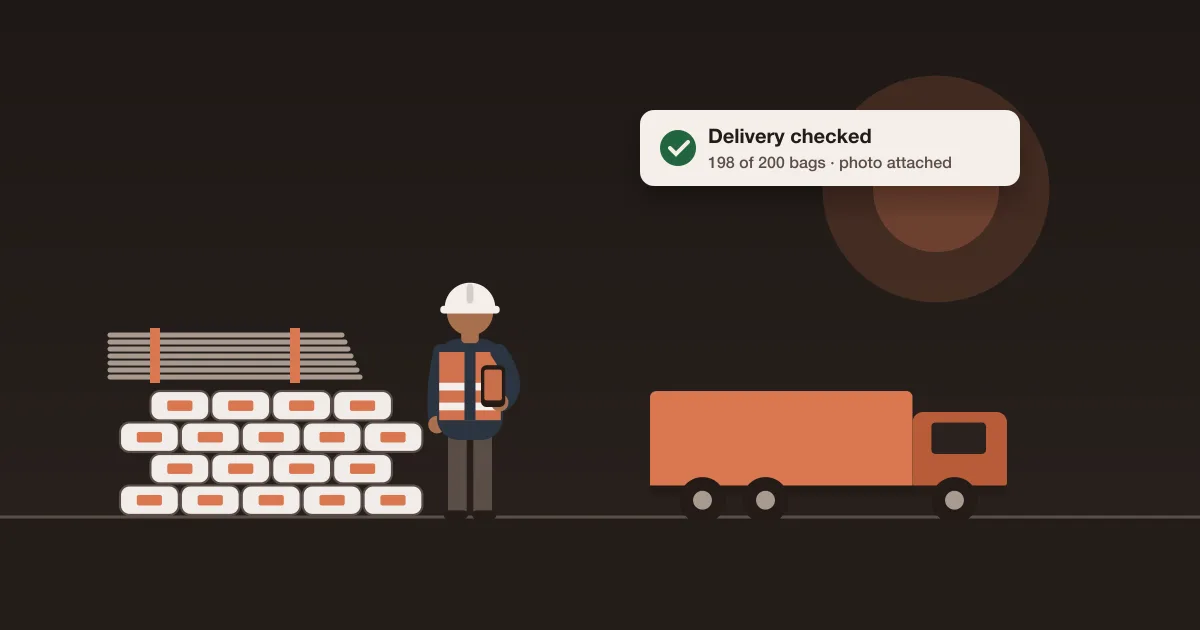
The storekeeper counts 198 bags against the order and photographs the delivery note. The site store shows 198 more bags at the order rate, and the 2-bag shortfall is flagged. - 6Bill and payment.
The supplier bills 200 bags. The bill is checked against the order and the delivery and approved for 198, or $2,762.10. It becomes a balance on the supplier's ledger, and the payment clears it. The job's cost comes from the cement received and used, not from the bill, so nothing is counted twice.
Six people touched that order, and none of them typed a number someone else had already entered. In separate tools, the same order lives in a WhatsApp message, a supplier's price list, a purchase order spreadsheet, a paper delivery note and the accounts package, and the 2 missing bags are paid for unless someone compares all five. The check at the last step is called a three-way match.
Who uses it, and what each person needs from it
Construction management software fails when it is bought for the office and ignored on site. Each role needs a small, specific screen, not the whole system.
| Role | Enters | Needs to see |
|---|---|---|
| Owner | Approvals above a set amount | Every site's progress and spend, cash, what is owed and owing, what waits for approval |
| Project manager | Plan, budget, purchase orders, subcontracts | Progress against plan, committed cost, late deliveries |
| Site engineer or supervisor | Daily log, material requests, attendance, photos | Today's tasks, what is due to arrive |
| Storekeeper | Deliveries received, issues to the work, transfers, counts | Stock on hand, expected deliveries |
| Accounts | Bills, payments, client invoices, receipts | Bills matched to orders and deliveries, balances by supplier and client |
| Client (optional) | Nothing, or approvals of stages | Progress, photos and payments for their own project |
| Supplier (optional) | Quoted rates | The items asked for, through a link, without an account |
Two consequences follow. Pricing per user punishes you for putting the site team on the system, which is exactly where the data comes from. And the phone screens matter more than the office dashboards: if a site engineer can't log the day in a few minutes on a cheap phone, the dashboards will be empty. The construction management app page goes through what a site needs on a phone.
Construction management software vs ERP, accounting and project management tools
Buyers often compare tools that solve different problems. An ERP is usually defined as "the integrated management of main business processes" in a suite of applications covering areas such as finance and accounting, human resources, supply chain and project management (Wikipedia). The general ledger is its core. Construction management software starts from the job instead, and records what happens on site.
| Tool | Built around | Strong at | Usually weak at |
|---|---|---|---|
| Construction management software | The job: site, buying, stock, labour, job money | Recording what happened on site and what it cost | General ledger, tax, payroll for salaried staff |
| Construction ERP (strict sense) | The company's books, with construction modules | Accounting, payroll, equipment, multi-company reporting | Site use: often office-only, long to set up, priced by quote |
| Accounting software with job costing | Ledgers, invoices, tax | Financial statements and tax returns | Nothing from the site arrives unless someone types it |
| General project management tools | Tasks, boards, timelines for any industry | Task tracking and team collaboration | Materials, deliveries, stores, labour wages, job costs |
| Field and drawing apps | Drawings, punch lists, inspections | Keeping the site on the current drawing | Purchasing, stock and money |
| Spreadsheets | Whatever you build | One or two jobs and one careful person | Several people editing from site; connected totals |
The word "ERP" is used loosely in construction. Many vendors, ourselves included on the Aaghaz360 platform page, use "construction ERP" for an operations system that connects projects, purchasing, stores, labour and money in one record. In the stricter sense an ERP also carries the general ledger, payroll and tax. If you need those, ask any vendor directly whether its system keeps the ledger or hands figures to your accounting package.
A common and sensible set-up for small and mid-size builders is construction management software for the jobs, plus ordinary accounting software for the books. The construction system answers "is this job making money and what is owed on it?"; the accounting system answers "what do we report and pay in tax?".
What it changes on a real job
Published figures for the savings from construction software mostly come from surveys sponsored by software vendors, so they are left out here. What can be described without a survey is the mechanism: what a connected record catches that separate tools miss.
- Short and damaged deliveries are caught before the bill is paid, because the bill is checked against what the site signed for.
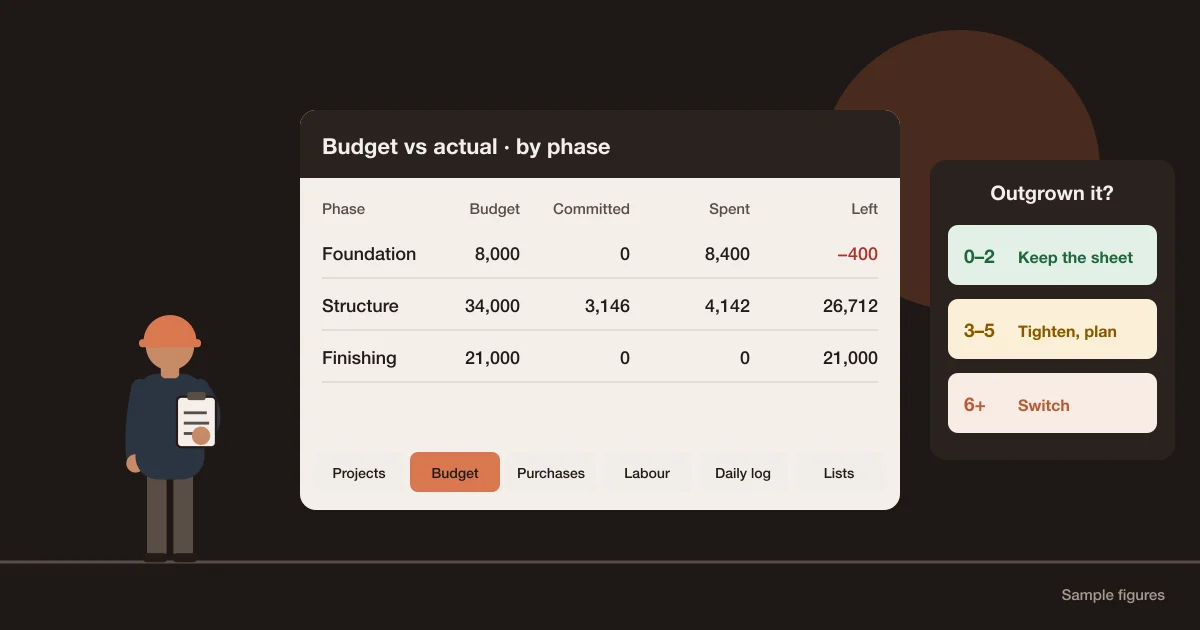
- Committed cost appears when an order is placed, not when the bill arrives weeks later, so an overrun shows while there is still time to act. The cost to complete guide shows how to use it.
- Approvals leave a trail: who approved which request or payment, for how much, and when.
- Progress is measured against the plan from site entries, so a late phase shows before the client asks.
- Labour is paid from recorded attendance, so the wage sheet and the site log agree. See the labour attendance register.
- The owner stops calling every site each evening, because the day's log, photos and requests are already there. See how to manage multiple construction sites.
None of this happens just by buying software. It happens when the site records the day and the office stops accepting paper. That is why rollout, covered below, matters more than the feature list.
What construction management software costs
Construction management software is priced in four main ways. The model matters more than the headline number, because it decides what happens to your bill when you add a site or a person.
| Pricing model | How the bill grows | Typical of |
|---|---|---|
| Per user per month | Every site engineer and storekeeper you add | Field and drawing apps |
| Base fee plus users | A monthly base, then each internal user | Residential builder platforms |
| Flat fee by projects | The number of projects running at once | Some all-in-one tools, Aaghaz360 included |
| Quote by construction volume | The value of work you build each year | Enterprise platforms |
The guide to construction software for small builders lists real prices from vendors' own pricing pages with the date they were checked, and works out a year's cost for a typical small builder. For Aaghaz360, the Free package runs one project with every module and no time limit; paid packages are $149, $249 and $499 a year with unlimited users (pricing). In Pakistan the packages are priced in rupees (prices in Pakistan).
How to choose: five questions to answer before any demo
- 1Where does money leak today? Write down the last three problems that cost you money: a short delivery, an unapproved purchase, a wage dispute, a late invoice. The right tool is the one that would have caught them.
- 2Who will enter the data? If the answer is the site, test the phone screens with your own site engineer, on site, before anything else.
- 3Which records do you need connected? Buying, stock and job cost connected is a different product from drawings and punch lists connected.
- 4What will it cost at your size next year? Price it for the sites and people you expect to have, not today's.
- 5What stays outside it? Accounting, payroll, drawings.
Decide where each lives so nothing is kept twice.
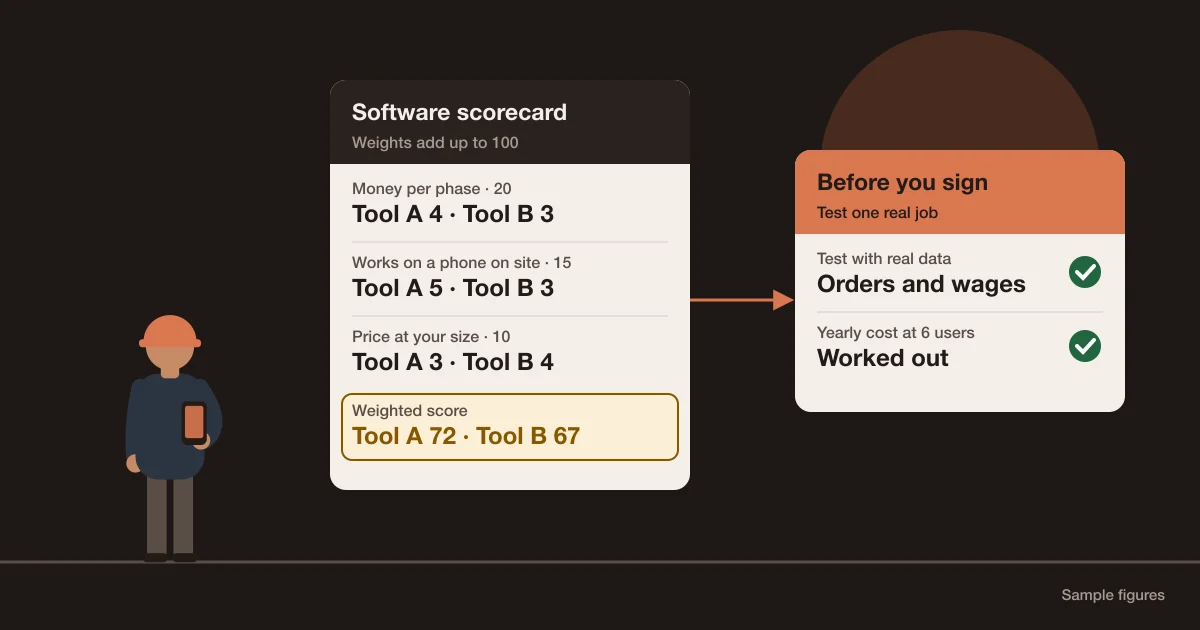
Then test with one real job, not a sample project. The scorecard in the small-builders guide turns these questions into a weighted comparison you can apply to any shortlist.
Rolling it out without stopping the sites
Most failed rollouts try to move everything at once. A safer order is to start with the records that save money soonest and add the rest once the site is entering data every day.
| Week | Set up | Rule from this week |
|---|---|---|
| 1 | One live project: phases from a template, a budget per phase, the team added by role | The site records a daily log, even a short one |
| 2 | Purchasing: material requests, approval limits, suppliers | No order without an approved request |
| 3 | Receiving and site store | No bill paid without a delivery recorded against its order |
| 4 | Labour and client billing | Wages paid from recorded attendance; invoices from the payment stages |
After a month, compare the job's committed and actual cost with what your spreadsheet would have shown. If the numbers are being entered and trusted, move the next project. If they aren't, fix the step that is being skipped before adding more.
Where Aaghaz360 fits, and where it doesn't
Aaghaz360 is construction management software for builders and contractors who buy their own material and run their own crews: house builders, developers building schemes, civil and renovation contractors. Its modules are projects, the daily site log, purchasing, site stores, labour and wages, subcontractors, job costing, client billing and sales quotes, connected as in the cement example above. It runs in the browser and installs on phones.
It is not accounting software and doesn't keep a general ledger or file tax. It has no drawing markup, RFIs or submittals, and no payroll for salaried staff. If those are your main problems, a field and document tool or an accounting ERP is the better fit. For a factual comparison with the best-known enterprise platform, see Procore alternatives for small and mid-size builders.
Signs you are ready for construction management software
0 of 7 in placeTick what is already in place on your site.
Questions people ask
What is construction management software in simple words?
It is one shared record of a construction company's jobs. The plan, the daily site log, material orders and deliveries, site stock, labour, costs and client billing are kept together, and the site and the office both enter what they know, so everyone sees the same numbers.
What does construction management software do?
It plans the work in phases and tasks, records each day on site, runs purchasing from request to paid bill, tracks stock on each site, records labour and subcontract payments, compares cost with budget per phase, and bills the client. Some tools also manage drawings, RFIs and inspections.
Is construction management software the same as construction ERP?
Not exactly. Construction management software is built around the job and what happens on site. An ERP in the strict sense is built around the company's books and includes the general ledger, payroll and tax. Some vendors call an operations system that connects projects, purchasing, stores and money a construction ERP, so ask whether the ledger is included.
What is the difference between construction management software and construction project management software?
Usually none in practice: vendors use both names for the same kind of product. Project management puts the weight on scheduling phases and tasks, which is one module. Compare tools by the records they keep rather than by the name.
How much does construction management software cost?
It ranges from free plans with limits to quotes based on your annual construction volume. Common models are per user per month, a base fee plus users, a flat fee by number of projects, and enterprise quotes. Aaghaz360 has a Free package for one running project and paid packages from $149 a year with unlimited users.
Can construction management software replace accounting software?
Usually not. Most construction management tools keep job money, such as budgets, purchase orders, bills, payments and client invoices, but not the general ledger or tax returns. A common set-up is construction software for the jobs and ordinary accounting software for the books.
Do small builders need construction management software?
Not always. One job run by one careful person can work in a spreadsheet. It becomes worth it when several people need to enter data from site, when you run more than one job at once, or when short deliveries, unapproved purchases and late invoices start costing you money.