Choosing software
Construction project management Excel template: set it up, then know when to switch
Most small builders run their projects on a spreadsheet, and for one or two jobs that's a sensible choice. The trouble is rarely Excel itself. It's a workbook that grew one tab at a time, where nobody knows which number is current. Here's a structure that stays trustworthy, and an honest test for when it stops being enough.
Part of the guide to what is construction management software
On this page · 11 sections
- What a construction project management Excel template should contain
- How to set it up, step by step
- A worked example: reading the Budget sheet
- Seven rules that keep a construction spreadsheet trustworthy
- What a spreadsheet does well
- Eight signs you've outgrown the spreadsheet
- Spreadsheet vs construction management software
- How to switch without losing your history
- Where Aaghaz360 fits
- Questions people ask
- Sources
Key takeaways
- A construction project management Excel template needs six sheets: Projects, Budget, Purchases, Labour, Daily log and Lists. Costs are typed once, in a log, and every total is a formula.
- Every cost row must name a phase exactly as written in the Lists sheet, or the budget won't count it.
- Never overwrite a row. Add a correction row with a note, and save a dated copy when you close each week.
- A spreadsheet works best for one or two projects with one disciplined person keeping it.
- Switch to software when several people need to enter data from site the same day, approvals need a record, and nobody trusts the totals.
What a construction project management Excel template should contain
A construction project management Excel template is a workbook that tracks one project's phases, costs, purchases, labour and daily progress in one file, so the owner can see budget against actual at any time. The template that goes with this guide has six sheets, and the structure matters more than the formatting:
| Sheet | One row per… | What it answers | Who keeps it |
|---|---|---|---|
| Projects | Phase | Which phase is running, planned vs actual dates, % complete | Project manager |
| Budget | Phase | Budget, committed, spent, left, % spent vs % complete, a warning flag | Nobody types here: it's all formulas |
| Purchases | Order line | What was ordered, received, billed and paid, from whom, for which phase | Purchaser or accounts |
| Labour | Weekly pay run | Days worked and wages per phase | Project manager |
| Daily log | Day | Work done, people on site, material used, problems, photo links | Site engineer |
| Lists | Item | Phases, cost types, suppliers, trades: the only allowed spellings | Owner (set up once) |
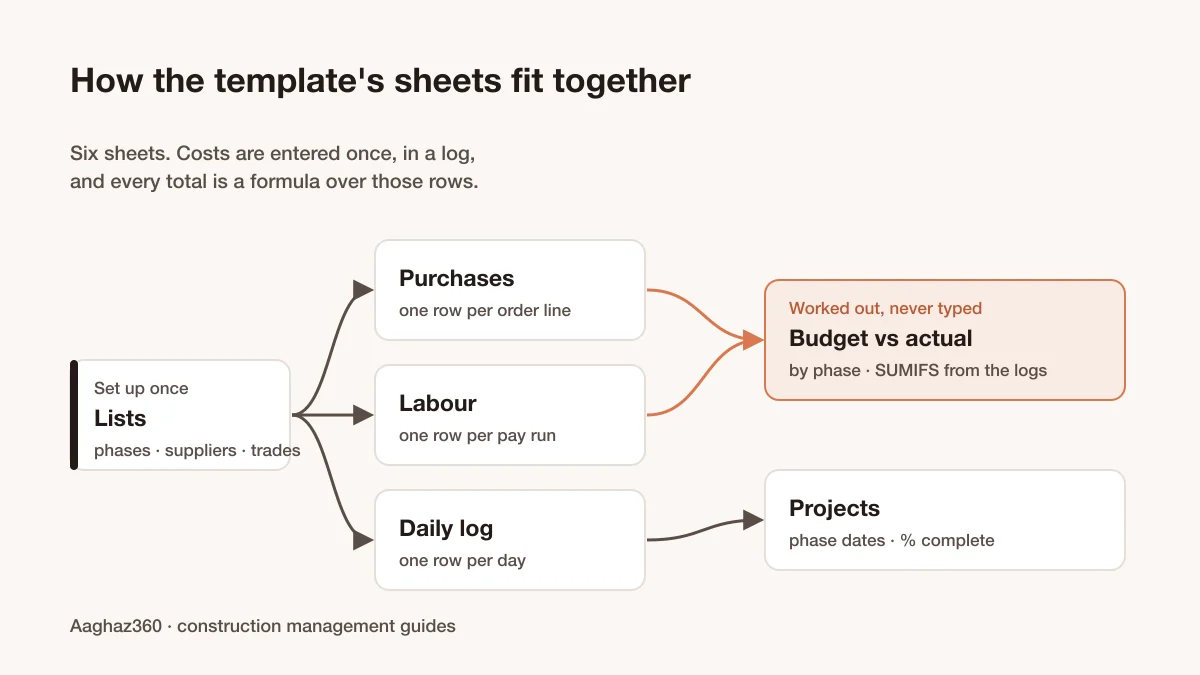
The rule that makes it work is enter once, calculate everywhere. A bill is typed into Purchases with its phase; the Budget sheet picks it up with a SUMIFS formula. Nobody retypes it into a summary, so there's nothing to get out of step. Download the free construction project management template (Excel). It's ungated, with no sign-up.
How to set it up, step by step
- 1Write the phases in Lists.
Use the same phases as your estimate: foundation, structure, finishing, external works. Costs can only be compared with the budget if they use the same names. - 2Enter the budget per phase.
Type it in the Budget sheet's Budget column only. Everything to the right is a formula. - 3Add phase dates in Projects.
Planned start and finish now, actual dates as they happen. Update % complete weekly, based on measured work, not on money spent. - 4Log every order line in Purchases.
Do it when the order is placed: date, phase, cost type, supplier, item, unit, quantity, rate. Add the quantity received, billed amount and paid amount as they happen. The order value minus the billed amount is your committed cost: money you've promised but haven't been billed for yet. - 5Log each weekly pay run in Labour.
Record phase, trade or group, days, gross wages and advances. The days come from your construction labour attendance register, not from memory. - 6Keep the Daily log daily.
Work done, headcount, material used, problems, and a link to the day's photos. It's the evidence behind the % complete and the labour days. - 7Delete the sample rows and start.
Save the file with the project and week in its name, such as Project-2026-W43.xlsx.
The template uses only SUM, SUMIFS, IF, INDEX/MATCH and IFERROR, so it works the same in Excel and Google Sheets.
A worked example: reading the Budget sheet
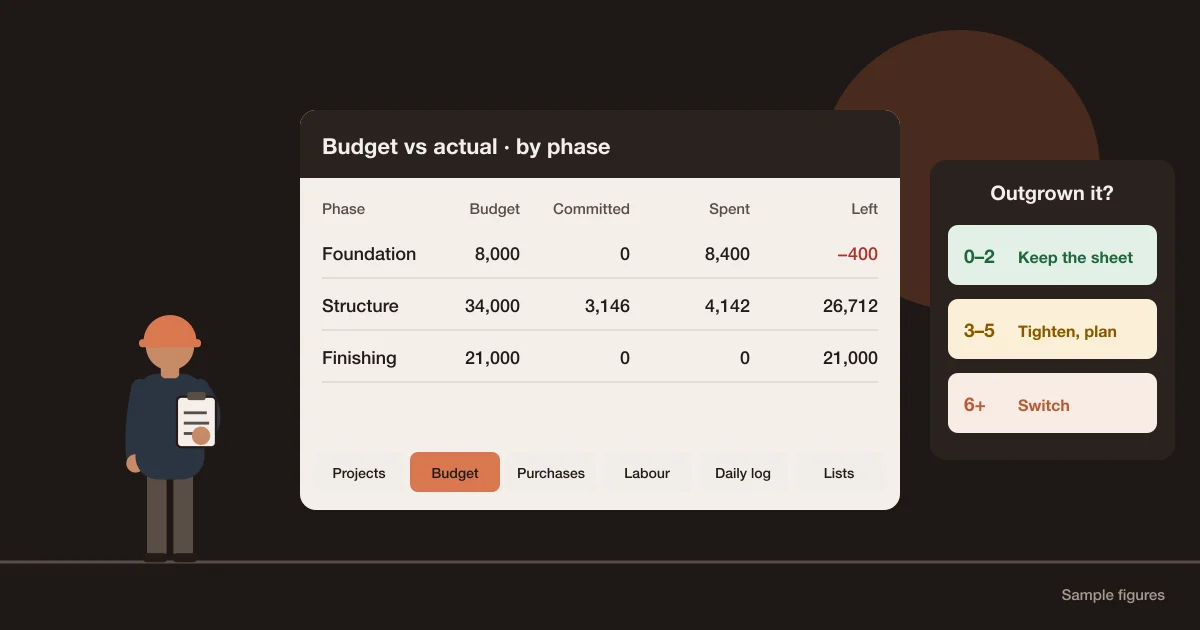
The Budget sheet in the template comes filled with sample figures, not real costs:
| Phase | Budget | Committed | Spent | Left | % spent | % complete | Flag |
|---|---|---|---|---|---|---|---|
| Foundation | $8,000 | $0 | $8,400 | −$400 | 105% | 100% | Over budget |
| Structure | $34,000 | $3,146 | $4,142 | $26,712 | 12% | 60% | |
| Finishing | $21,000 | $0 | $0 | $21,000 | 0% | 0% | |
| External works | $6,000 | $0 | $0 | $6,000 | 0% | 0% |
- Foundation finished $400 over budget: $4,500 of purchases plus $3,900 of labour is $8,400 against $8,000. It's closed, so the lesson goes into the next estimate.
- Structure's committed cost is $3,146: steel ordered at $3,900 and billed $3,354 leaves $546 to come, and shuttering hire ordered at $2,600 isn't billed yet. 'Left in budget' subtracts both spent and committed: $34,000 − $4,142 − $3,146 = $26,712.
- Structure is 60% complete but has spent only 12% of its budget. That isn't good news yet. It almost always means costs haven't been entered: a bill in someone's drawer, a pay run not logged. In a spreadsheet, a figure that looks good is the first thing to check.
The flag column warns when the share of budget spent runs more than 10 points ahead of % complete. The method behind this check, and what to do when a phase runs over, is in construction budget vs actual.
Seven rules that keep a construction spreadsheet trustworthy
Spreadsheets fail quietly. In a 2009 audit of 50 operational spreadsheets, Dartmouth researchers found that error rates differed widely from one spreadsheet to another, against a commonly cited figure of about 5% of formulas containing errors (Powell, Baker and Lawson). You can't audit your workbook every week, but you can make errors harder to make:
- 1One row per event.
An order line, a pay run, a day. Never a running total typed by hand. - 2Never overwrite; correct.
If a bill was wrong, add a correction row with a negative amount and a note. The history is the audit trail. - 3Phases from the list only.
Use data validation (a dropdown) on the Phase column. 'Structure', 'structure ' and 'Structural frame' are three different phases to SUMIFS. - 4One owner per sheet.
Others can read it. Two people editing Purchases is how bills get entered twice. - 5Close the week.
On a fixed day, save a dated copy and don't edit closed weeks. - 6Lock the formula columns.
Protect the Budget sheet, so a typed number can't replace a formula without anyone noticing. - 7Know how sharing works.
For several people to edit at once, the file must be in OneDrive or SharePoint with Microsoft 365, and when two people change the same cell, the last saved change generally wins (Microsoft Support). A copy emailed around isn't sharing; it's forking.
What a spreadsheet does well
- It's free or already paid for, and everyone in the office can use it.
- It bends to any job. A new column takes ten seconds.
- It's private and offline. No account, no subscription, no vendor.
- For one or two projects with the owner keeping the books, it's often all you need.
If that's your business today, use the template, follow the rules above, and come back to this page when the signs below start to appear.
Eight signs you've outgrown the spreadsheet
Score one point for each statement that is true for your company today:
| # | Sign | Why it matters |
|---|---|---|
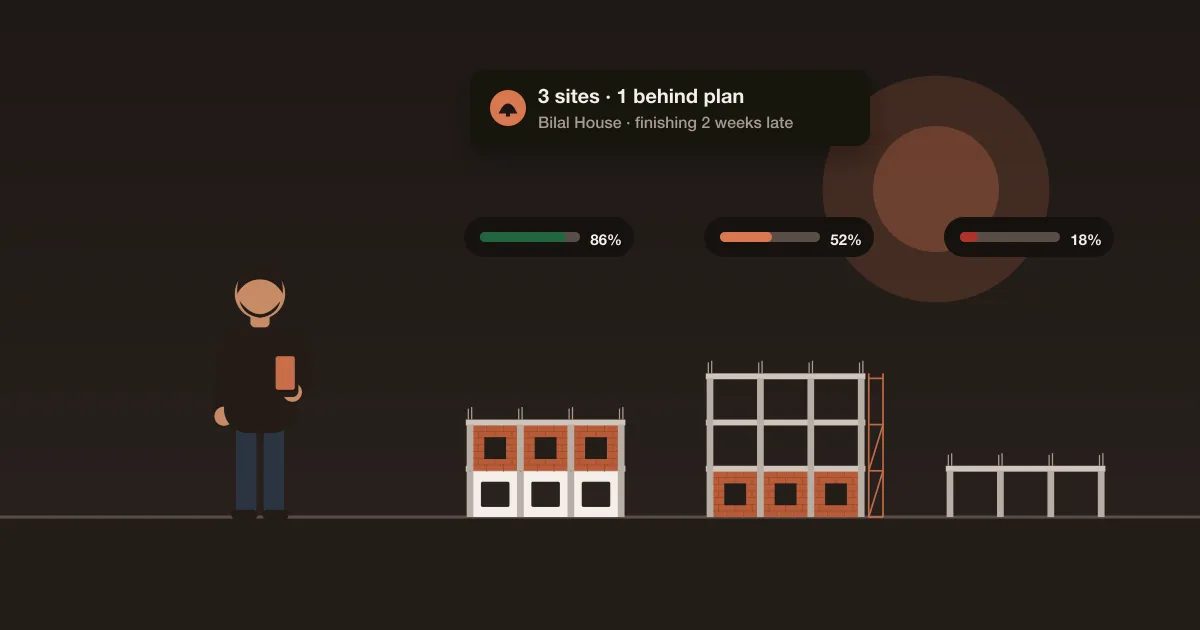
| 1 | You run three or more sites at the same time | Several copies of the workbook, or one huge one nobody trusts |
| 2 | Site information reaches the office as WhatsApp messages and photos that someone retypes | Each retype is a delay and a chance for an error |
| 3 | Bills are sometimes paid before anyone checks the delivery was complete | You're paying for material you may not have received |
| 4 | Nobody can say what stock is on each site without phoning | Material gets reordered while the same item sits in a store |
| 5 | The budget figures are more than a week behind | You find out about overruns after they've happened |
| 6 | More than one person edits the same file, and there are 'final_v3' copies | Nobody knows which number is current |
| 7 | Approvals happen by phone, with no record of who approved what | Disputes can't be settled, and limits can't be enforced |
| 8 | A client update or month-end report takes more than an evening to prepare | The data exists but isn't connected |
| Score | What to do |
|---|---|
| 0–2 | Keep the spreadsheet. Tighten the seven rules. |
| 3–5 | The spreadsheet is costing you. Fix the biggest gap first (often signs 2 and 3) and start trialling software on one project. |
| 6–8 | Switch. The workbook has become the bottleneck. |
Sign 3 is the most expensive one to ignore: the three-way match guide shows how to check a bill against the order and the delivery before paying.
Spreadsheet vs construction management software
| Need | Spreadsheet | Construction management software |
|---|---|---|
| Cost to start | Free or already owned | Subscription; some tools have a free tier |
| Setup | Minutes, if you follow a template | Hours to days, for setup and training |
| Entry from site | Someone retypes messages and photos | Site staff enter from a phone, with photos |
| Approvals | Phone calls or emails, outside the file | Inside the record, with name and time |
| Audit trail | Only if you never overwrite | Kept automatically |
| Stock per site | Separate sheet, manually updated | Updated by deliveries and issues |
| Several users at once | Possible with co-authoring; same-cell conflicts | Designed for it, with role-based access |
| Flexibility | Total | Limited to what the product does |
| Reporting | Build it yourself | Built in, live |
Neither is 'better'. The question is whether your problems come from the arithmetic (a spreadsheet handles that) or from people in different places entering, approving and checking the same data (construction management software is built for that). If it is the second, choosing construction software for small builders covers the shortlist and the yearly cost.
How to switch without losing your history
- 1Don't migrate history.
Keep the old workbook as a read-only archive. Move only what is open. - 2Move open items.
Active projects with phases and remaining budgets, open purchase orders, supplier balances, the worker list with any balances or advances outstanding, and a fresh stock count of each site. - 3Start with one project.
Ideally one just starting, so its whole history is in one place. - 4Run both for one cycle.
Keep both for one pay cycle and one month-end, then stop updating the spreadsheet for that project. - 5Bring site staff in early.
If the people who generate the data don't use the new system from day one, you've just moved the retyping job.
Where Aaghaz360 fits
Each sheet in the template matches a part of Aaghaz360:
| Template sheet | In Aaghaz360 |
|---|---|
| Projects | Projects: templates with phases, a timeline, tasks and documents |
| Budget | Project costing: budget, spent, left and still to pay per phase, committed orders and alerts when a phase will go over |
| Purchases | Purchasing: demand, approval, quotes by link, purchase order, receiving and bill matching. The material requisition form guide explains the first step. |
| Labour | Labour and wages: days from the daily log, pay runs approved by the owner |
| Daily log | Daily site log: work, photos, attendance and material used, from a phone |
| Lists | Company settings: phases, suppliers, who approves what |
The difference is that the site enters its own data, and every total comes from the same records. The Free package runs one project at a time with every module and no time limit, which makes it a fair way to test the switch on a single job: get started, or book a walkthrough and we'll show it with phases and materials like yours.
Is your spreadsheet trustworthy this week?
0 of 8 in placeTick what is already in place on your site.
Questions people ask
Is there a free construction project management template for Excel?
Yes. The template with this guide is free and has no sign-up. It has six sheets (Projects, Budget, Purchases, Labour, Daily log and Lists) with formulas that work out committed cost, spend and budget left per phase. Delete the sample rows before you start.
Does the template work in Google Sheets?
Yes. It uses only SUM, SUMIFS, IF, INDEX/MATCH and IFERROR, which behave the same in Google Sheets. Upload the file to Google Drive and open it with Google Sheets.
Can Excel do a construction schedule or Gantt chart?
It can. A bar chart or conditional formatting on a date grid gives a simple Gantt view of phases. For a handful of phases that's enough; once tasks depend on each other across many trades, scheduling software is easier to keep up to date.
When should a construction company switch from Excel to software?
When the problems come from people rather than arithmetic: several sites, data retyped from WhatsApp, approvals by phone with no record, nobody sure which file is current. If three or more of the eight signs in this guide apply, start testing software on one project.
What should I move first when switching from a spreadsheet?
Only open items: active projects and their remaining budgets, open purchase orders, supplier balances, worker balances and a fresh stock count. Keep the old workbook read-only as the archive, and run both side by side for one pay cycle.
What is committed cost in a construction spreadsheet?
It's the value of orders placed but not yet billed: money you've promised to spend. Subtract it from the budget along with what's already spent, or the 'left in budget' figure will look better than it is.